Wake up for every shift.
Sleep enough between them.
See your whole rotation in one place, get a reliable wake-up alarm for every shift, and know exactly when to sleep. Add shifts in seconds — tap them in, or snap a photo of your rota. Share it with the people who plan around you. No more dreading a 6 a.m. start.
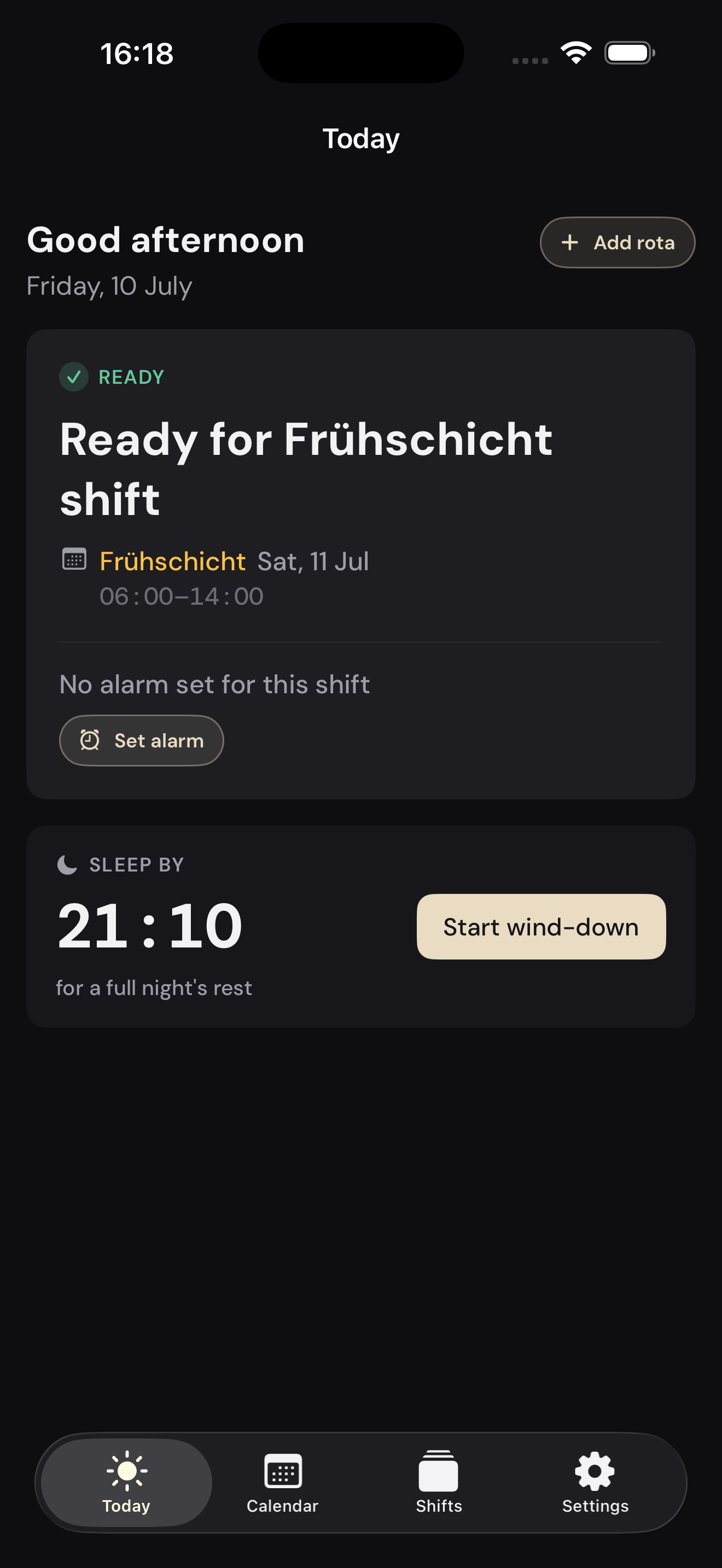
Three steps, then it runs itself
You stay in control the whole way. Nothing is scheduled until you say so.
Add your shifts
Tap shifts straight onto the calendar, or — if it’s a whole rota at once — snap a photo, screenshot, or PDF and let AI fill it in. Whatever your workplace hands you.
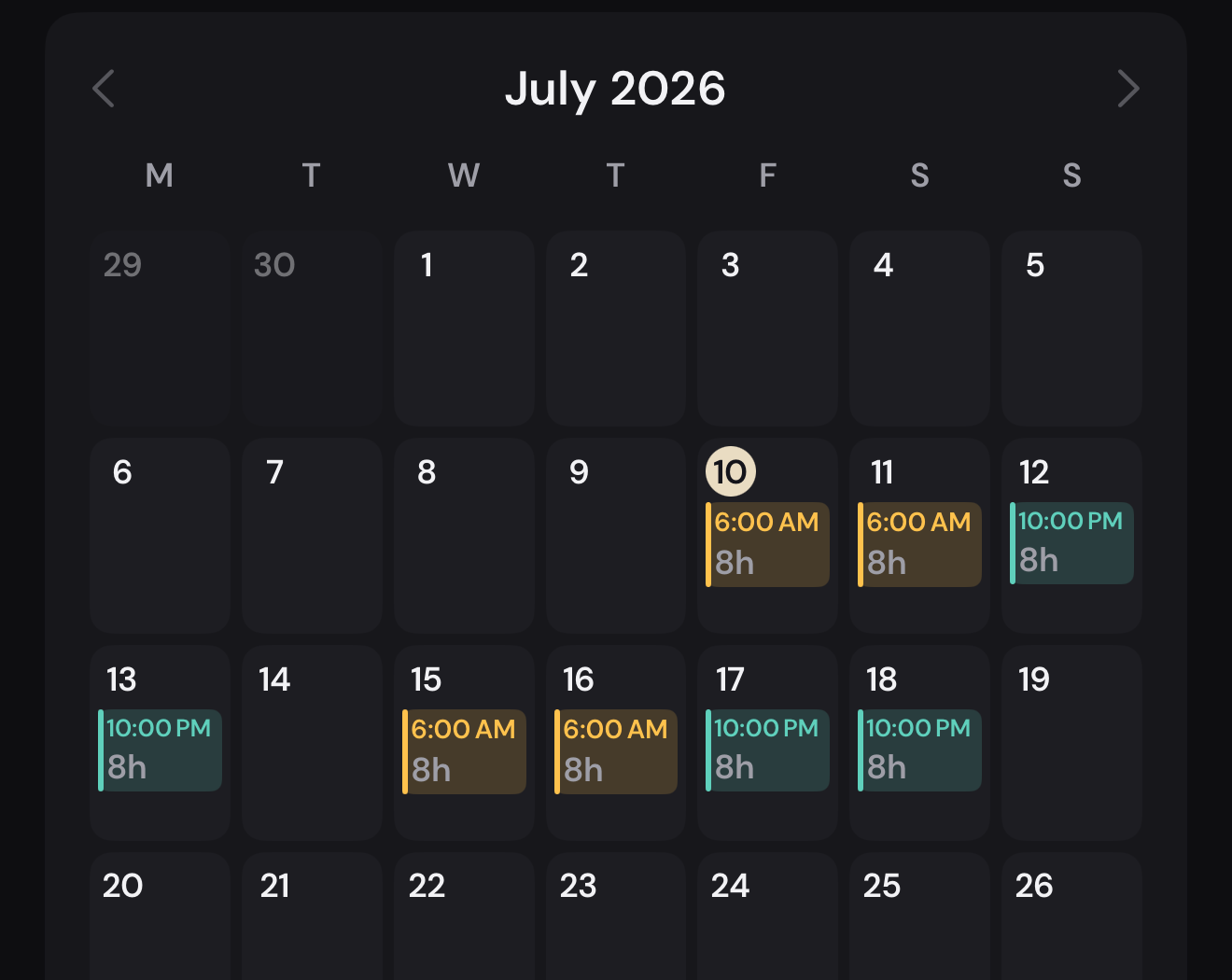
Check every shift
Your shifts land on a calendar. You confirm or fix each one before a single alarm is set — a wrong night shift never slips through.
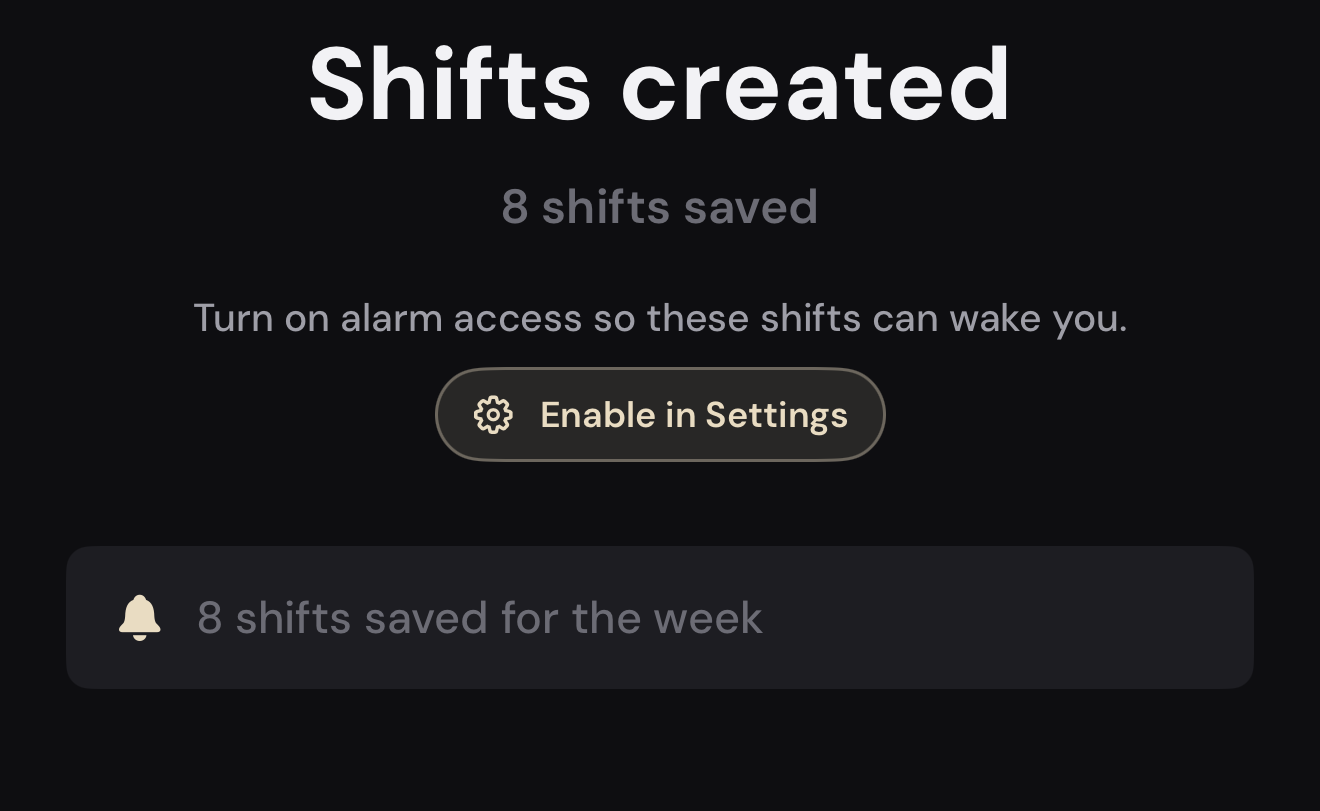
Wake on time, rested
An alarm is set for each shift — timed to your own prep and commute — plus a “sleep by” time so you actually get the rest.
What a shift worker actually needs
See your whole schedule, wake up for every shift, and protect the sleep in between — then let the people at home see it too. AI scanning is there when you want it — it just fills the calendar faster.
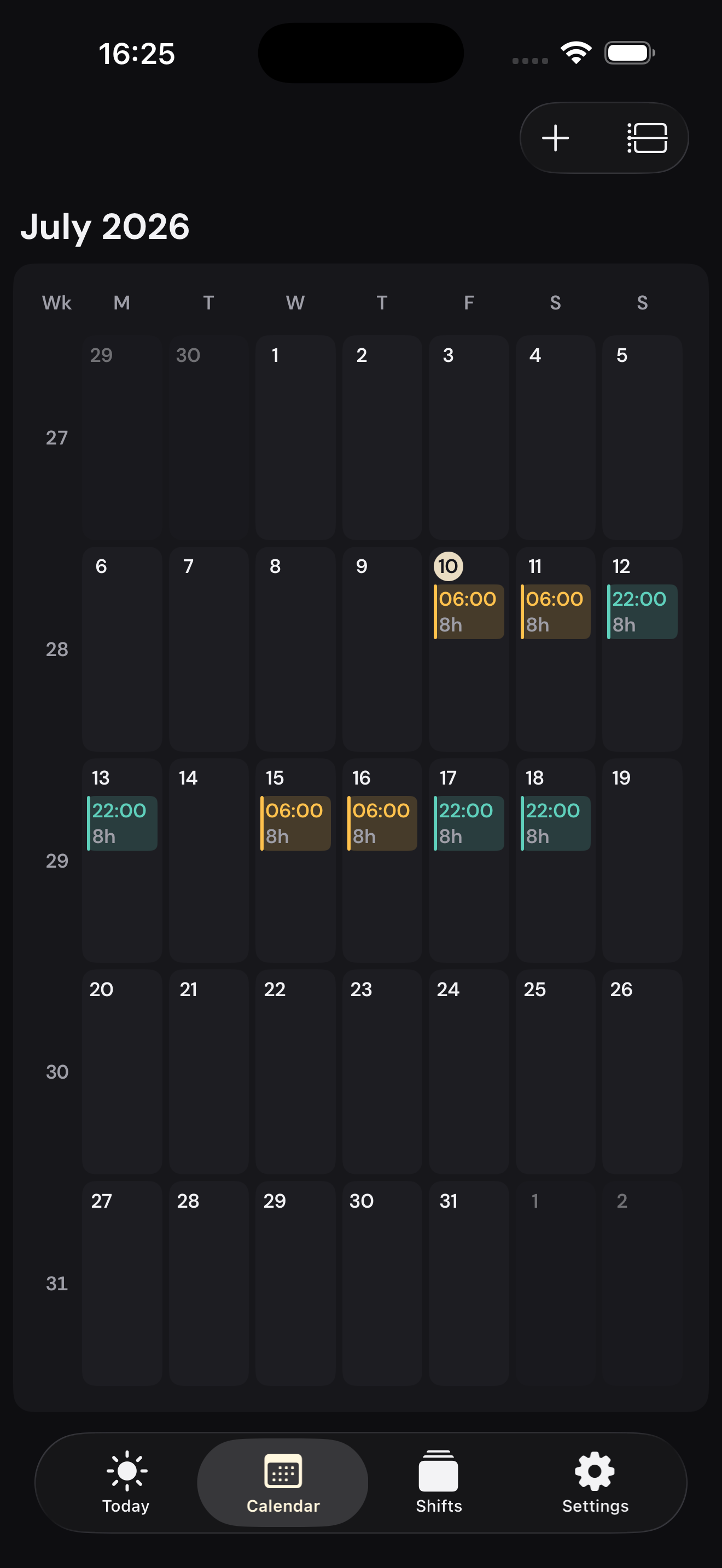
Your whole rotation, in one place
Every shift on a calendar and a home-screen widget, colour-coded early to night. See your work and off days weeks ahead — so you can plan appointments, trips, and time with family around them, and never double-book a day off.
An alarm for every shift, set for you
Add a shift and its wake-up alarm is created automatically — timed to your own prep and commute. A full-screen alarm shows the shift and start time, with volume that rises until you’re up. Alarms use Apple’s AlarmKit on iOS 26 and later; on earlier versions you get shift reminders instead.
Share your schedule with family
Send one link to a partner, parent, or friend. They see your shifts in a read-only calendar that updates whenever you change one — no more “are you working Saturday?” texts. Notes and pay are never shared, and you can hide any shift or remove anyone at any time.
Protects your sleep
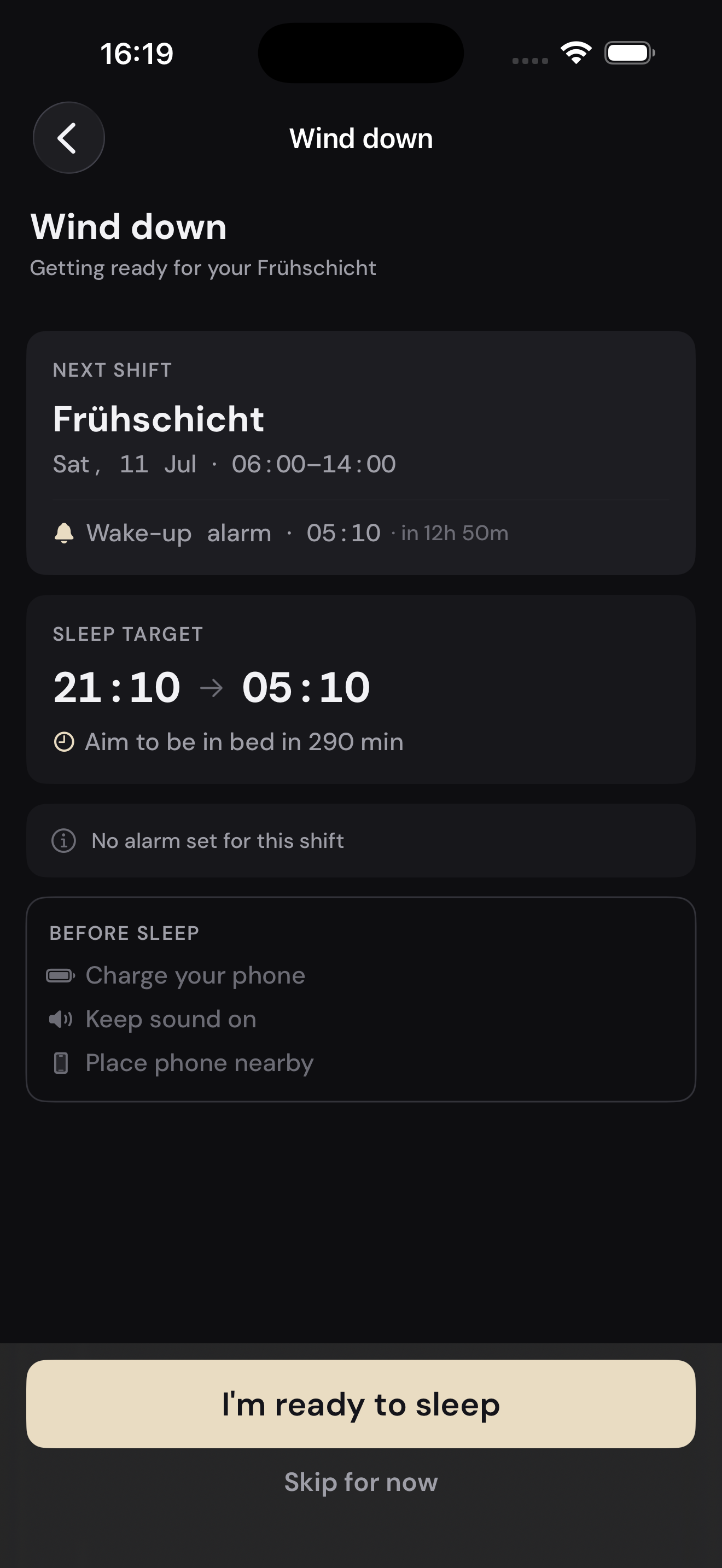
A “sleep by” time for every shift and a pre-sleep wind-down that confirms your alarm is armed and your phone is set to ring — before you doze off.
Scan a rota, or type it
Snap a photo, screenshot, or PDF and AI fills your shifts in. Prefer to type? Manual entry never costs a scan.
On every iPhone you use
Sign in with Apple and your schedule syncs across your iPhones and comes straight back on a new phone. Optional — skip it and everything stays on this device.
Made to fit your life
18 languages. 24-hour or 12-hour time to match your region. Light, dark, and a set of colour palettes.
Your schedule, on your terms
Rotas hold names, places, and colleagues. ShiftKal treats them like they’re yours — because they are. You decide where your schedule lives and who gets to see it.
Read the privacy policyOn your phone until you sign in
Without an account, your shifts, notes, and locations stay on your iPhone. Sign in with Apple only if you want sync and sharing — we ask Apple for your name, never your email.
Synced in the EU, visible only to you
When you sign in, your schedule is backed up on EU servers so it follows you to a new phone. Only your account can read it.
You choose what people see
People you share with get a read-only view. Notes and pay are never shared, your workplace address only if you turn it on, and any shift can be hidden.
Rota photos aren’t kept
A scanned photo is used only to read your shifts, then removed — the parsing service keeps nothing and never trains on it.
Delete everything in one tap
Delete your account in Settings and your data is erased from our servers and from your phone, and shared links stop working.
Simple, honest pricing
Go monthly, save with yearly, or unlock everything once with Lifetime. Every plan includes the full app — calendar, alarms, sleep planning, and sharing.
- ✓ AI scanning of every new rota
- ✓ A monthly scan allowance
- ✓ Reliable alarms & sleep-by times
- ✓ Cancel anytime, no lock-in
- ✓ Everything in Monthly
- ✓ Save vs. paying monthly
- ✓ A monthly scan allowance
- ✓ Top up with scan packs any time
- ✓ Everything in the subscription
- ✓ AI scanning that never expires
- ✓ No recurring bill, ever
- ✓ Future updates included
Prices are shown in the app in your local currency. Need more than your allowance? Add scan-credit packs — 1, 5, or 10 — any time. Adding shifts by hand never uses a scan. If a subscription ends, the app pauses and alarms stop until you resubscribe — then everything is set up again automatically.
Questions, answered
Do I need to create an account?
No. You can start adding shifts the moment you open ShiftKal — no email or password. Signing in with Apple is optional: it syncs your schedule across your iPhones, brings it back on a new phone, and lets you share it.
How does sharing my schedule work?
Create a link in the app and send it by Messages, email, or QR code. The other person installs ShiftKal, signs in with Apple, and sees your shifts read-only — updated whenever you change them. You choose which jobs and dates they see, notes and pay are never shared, and you can remove anyone or close the link at any time. Both of you need to sign in with Apple, so you always know who has access.
What happens if I get a new iPhone?
If you’ve signed in with Apple, just sign in again with the same Apple Account on the new phone and your shifts come straight back. If you never signed in, your schedule lives only on the old phone.
Which iPhones does it support?
ShiftKal runs on iOS 18.6 and later. Wake-up alarms use Apple’s AlarmKit, which needs iOS 26 or later; on earlier versions ShiftKal sends shift reminder notifications instead of alarms.
What happens to a photo of my rota?
It’s sent once to an AI service to read your shifts, then deleted right away. The service is zero-retention and never trains on your image, and no identifying account is attached. We never store the photo itself.
What if the AI reads a shift wrong?
You review every shift on a confirmation screen before anything is scheduled, and you can fix any of them. And you can always add or edit shifts by hand — that never uses a scan.
What does it cost?
AI scanning runs on a paid plan — monthly or yearly, each with a monthly scan allowance — or a one-time Lifetime purchase. Need extra scans? Add scan-credit packs any time. Adding shifts by hand never uses a scan. If a subscription ends, the app pauses and its alarms stop until you resubscribe.
Stop dreading the early start
Let ShiftKal carry the rota, the maths, and the wake-up — so you can just show up rested.